Quick Answer
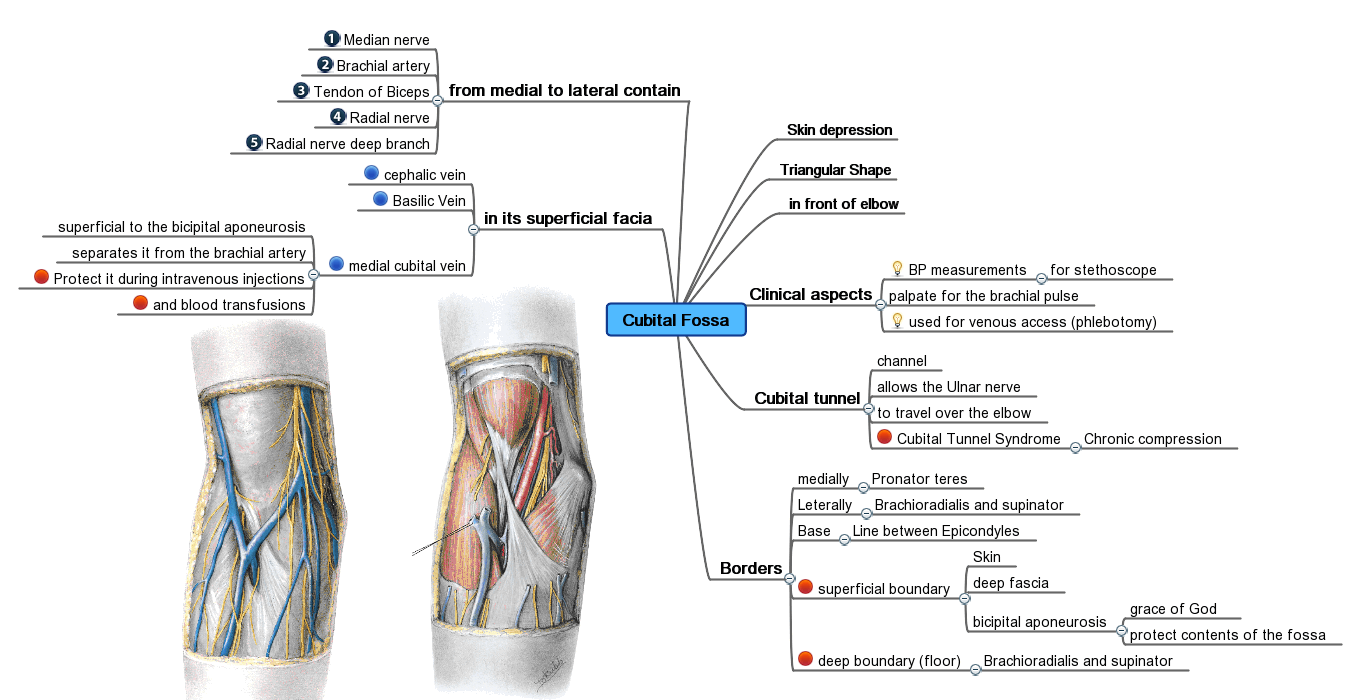
A mind map is a simple visual tool that helps you organize ideas around a central topic using branches, colors, and images. It improves memory, boosts creativity, and makes complex information easier to understand and remember.
Key Takeaways
- Start small—focus on just one central idea
- Don’t worry about drawing skills; clarity matters more than style
- Use keywords, not full sentences
- Preparing for an exam by mapping out key chapters and concepts
- Planning a wedding or event with timelines, vendors, and guest lists
Plain English Explanation
In real life, a mind map is like a mental sketchpad where you start with one main idea in the center and grow related thoughts outward in connected lines. It’s not about neatness—it’s about seeing how ideas link together, making it perfect for brainstorming projects, preparing for exams, or planning events.
Step-by-Step Guides
How to Create Your First Effective Mind Map
- Paper and pen
- Colored markers
- Digital app like MindMeister or XMind
Step-by-step guide
- 1
Draw a circle or shape in the center labeled with your main topic (e.g., 'Summer Vacation Plan')
- 2
Write 3–5 major ideas branching out from the center using short phrases
- 3
Add sub-branches with details, dates, or tasks under each major idea
- 4
Use colors, symbols, or icons to highlight different types of information
Common Problems & Solutions
Too many branches, similar colors, or text-heavy nodes make it visually overwhelming and defeat the purpose of clarity.
- 1Limit the number of branches per level (3–5 max)
- 2Use only 2–3 colors consistently for categories
- 3Keep labels short—one word or phrase per branch
- 4Leave plenty of white space
- Writing full sentences instead of keywords
- Using too many colors or fonts
- Adding unrelated ideas
Pros & Cons
Pros
- Boosts memory retention through visual association
- Encourages creative thinking and idea generation
- Simplifies complex topics into digestible parts
- Works well for team collaboration and brainstorming
Cons
- Can become messy if overcomplicated
- Less effective for highly linear processes
- May take time to build initially
- Not ideal for detailed data analysis
Real-Life Applications
Preparing for an exam by mapping out key chapters and concepts
Planning a wedding or event with timelines, vendors, and guest lists
Brainstorming creative content like blog posts or story plots
Organizing personal goals and breaking them into actionable steps
Solving problems by exploring causes and solutions visually
Beginner Tips
- Start small—focus on just one central idea
- Don’t worry about drawing skills; clarity matters more than style
- Use keywords, not full sentences
- Color-code categories (e.g., blue for deadlines, green for ideas)
- Review and expand your map regularly as new insights emerge
Frequently Asked Questions
No—you can start with paper and pen. Digital tools like MindMeister or free apps are helpful once you're comfortable with the basics.
Sources & References
- [1]Mind map — Wikipedia
Wikipedia, 2026